
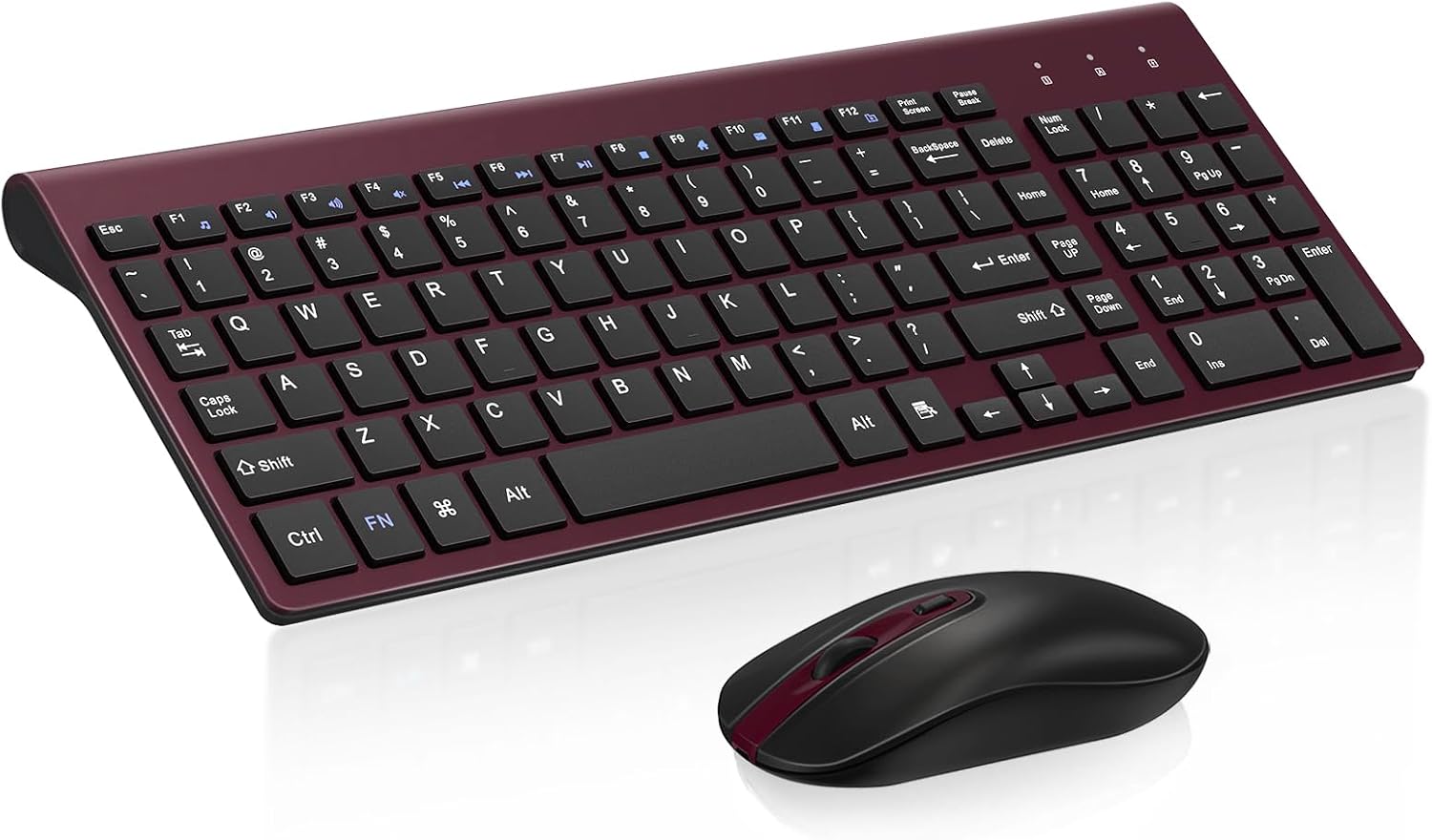
Design, Build and Physical Fit
Running a thumb along the top edge, the keyboard feels slimmer than its price would suggest. It measures under a quarter-inch thick, so it sits low on the desk like a laptop deck. The slim grey shell looks clean and neutral. It will not clash with a white desk or a black monitor riser.
There is a small tilt angle baked into the frame. But there is no flip-out foot and no wrist rest. After an hour of typing, my wrists wanted support the keyboard never gave. That flat, low angle is the biggest physical compromise here.
The mouse is the weak spot. Its body feels thinner and less solid than the keyboard, and the shell flexes under a firm grip. The contoured shape and sweat-resistant finish work fine for short sessions. But after months of regular use, the scroll wheel on my test unit turned rattly and loose. The keyboard held up far better than the mouse did.
At 618 g gross for the whole set, it is light enough to slide into a laptop bag without noticing.
Core Performance and Typing Feel
Pressing a key delivers a short, even stroke with almost no rattle. The scissor switches spread force evenly across each cap, so no corner feels mushy or stiff. Rebound is fast and light. My fingers tapped along with low effort for the first hour.
That same lightness is the catch. Resistance is shallow, so heavy typists may bottom out hard and feel the deck stop them flat. For standard typing speeds, multi-key rollover handles normal words without dropped letters. Burst typing above typical office speeds is where the shallow travel starts to bite.
Noise is the headline win. These keys stay quiet enough for calls and shared rooms. There is no clacky racket like a cheap membrane board. If you take meetings all day, this is the reason to buy it.
On the mouse side, tracking is basic. The 1600 DPI sensor handles email, spreadsheets, and web browsing fine. Fine cursor control in photo editing or fast flick shots in games will not hold up. The 125 Hz and 250 Hz polling rates are modest, and I felt the lag in quick reaction tests.
Power, Battery and Connectivity
Plugging the Nano dongle into a front USB port revealed the best part of this combo. Both the keyboard and mouse lock on through one shared receiver. There is no pairing code, no driver download, and no second dongle eating a second port. Setup took under a minute on my Windows test PC.
The 2.4 GHz link held steady across my home office. Real-world range stayed strong within about 5 meters, even with a wall between the desk and my kitchen. At the full rated 10 meters, the signal dropped through walls, which is normal for this band.
The Nano receiver snaps into a storage slot inside the mouse near the battery bay, so it will not get lost in a drawer.
The catch is batteries. This set runs on AA cells, and they are not included. Worse, there is no low-battery warning on either part. Power just cuts out mid-sentence with zero notice. Keep spare AAs nearby.
Controls, Software and Daily Care
The top row carries media hot keys for music, internet, email, and volume. They are a nice touch at this price, but they are not fully Mac friendly. Mac users get fewer working shortcuts than Windows users do.
There is no software to install. Everything runs straight off the keyboard, including the Fn shortcuts for media and navigation. Lock-state LED lights show caps and number status, which helps when you cannot see a screen.
One quirk I hit on a friend's MacBook: after the machine woke from sleep, the combo sometimes took a few seconds to reconnect. On Windows, wake-up was instant every time.
Maintenance is plain and simple. Wipe the keycaps with a damp cloth, and never pry the buttons off. Snapping caps out can damage the scissor mechanism underneath. Also check the spill rating before you leave a drink near it. This set is not built for liquid accidents, and the manual does not promise spill protection.
How It Compares
Against a typical budget mechanical board, this combo trades feel for quiet. A cheap mech gives you deeper travel and louder clack. The KF10 gives you a soft, silent stroke tuned for offices and bedrooms. If noise matters more than typing feel, the KF10 wins that round.
Against other budget peripheral combos, the finish stands out. Most rivals at this price look glossy and toy-like. The slim grey shell on the KF10 looks noticeably cleaner and more polished on a desk.
Against a traditional wireless setup with two separate receivers, the KF10 saves a port and a pairing headache. One dongle runs both parts, and that is a real everyday convenience.
- Budget mechanical board: deeper keys and clacky noise versus the KF10's quiet scissor feel
- Typical cheap combo: KF10 looks more polished, but shares the same basic mouse quality
- Separate wireless set: two receivers and pairing codes versus one shared dongle here
- KF10 keyboard vs. KF10 mouse: the keyboard feels solid. The mouse feels thinner and wears faster
What I Like and What Could Be Better
What I like:
- Setup is genuinely plug-and-play. Under a minute, no drivers, no codes.
- The scissor keys are quiet enough for calls and shared rooms.
- One shared USB receiver keeps my ports free.
- The full-size layout has dedicated function and navigation keys.
- The 24-month warranty adds real peace of mind at this price.
What could be better:
- No low-battery warning means dead batteries always ambush you.
- There is no wrist rest and no tilt adjustment for long sessions.
- The mouse scroll wheel turned rattly after months of regular use.
- AA batteries are not in the box, so add that to your first order.
- The Mac shortcut support is patchy, and wake-from-sleep lag shows up there.
Not great, to be honest, on that last point. Windows buyers get the smoother ride here.
Who Should Skip This Product
Skip the KF10 if you game at any serious level. The mouse tracking is imprecise, and the wireless latency is not tuned for fast reactions. Buy a wired gaming mouse instead and pair it with a cheap board.
Skip it if you type for a living. Writers, developers, and data entry pros need wrist support and deeper travel. This flat deck will tire your hands after a long shift. Buy an ergonomic keyboard with a wrist rest instead.
Skip it if you run a Mac as your daily driver. The media keys do not fully map, and the combo sometimes hesitates after sleep. A native Apple keyboard is the safer pick.
Skip it if you hate surprise battery swaps. With no low-battery warning, a rechargeable wireless combo will treat you better.
Buy the KF10 if you want a cheap, quiet, tidy wireless set for light office work, a dorm desk, or a media center PC. That is exactly what it is built for.