
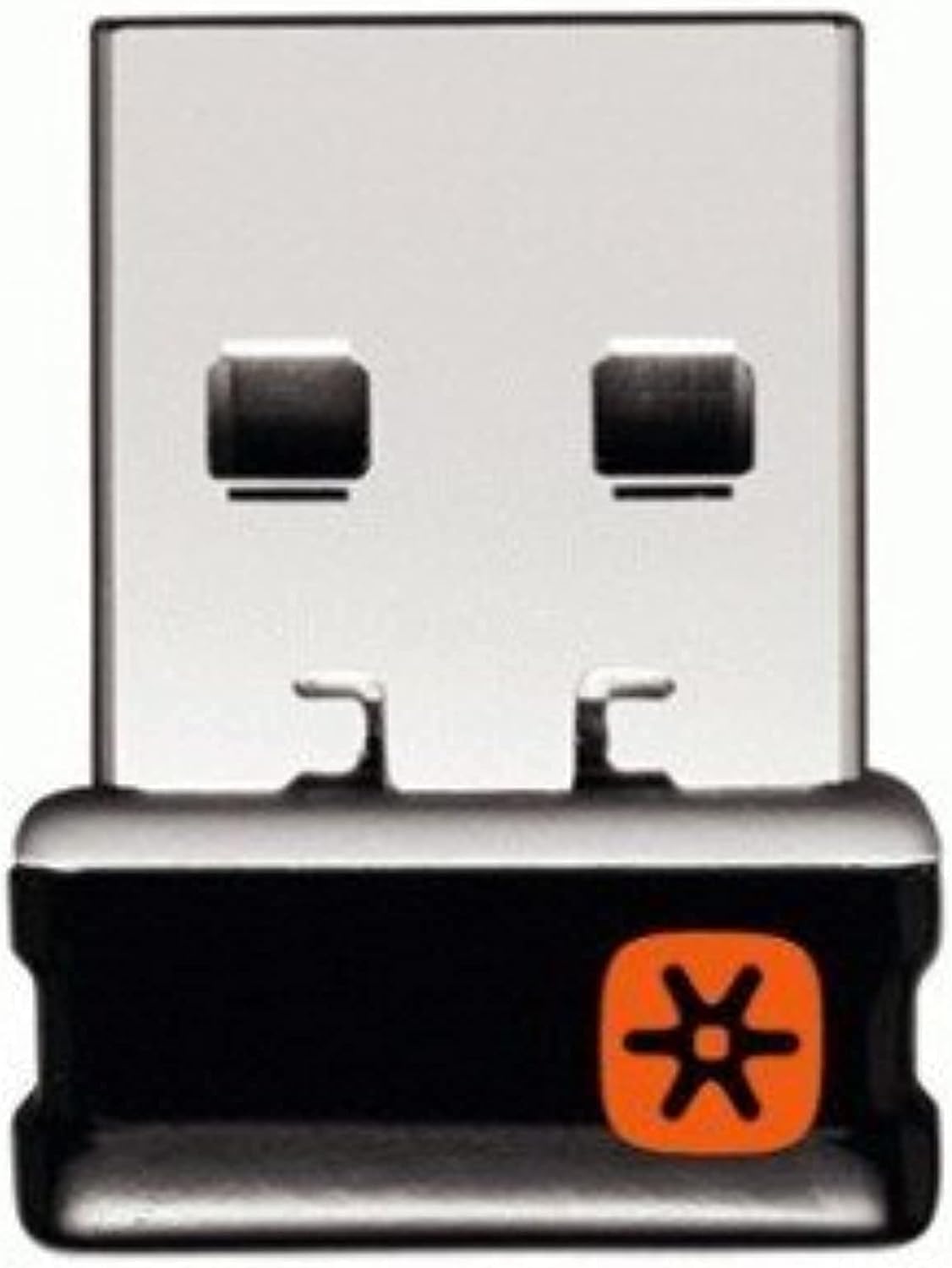
Design, Build & Physical Fit: Small Stick, Big Job
Sliding the receiver into a front USB port, the first thing you notice is how little space it takes. The black plastic shell is plain and matte. No logos scream for attention. At roughly the size of a thumbnail, it sits almost flush with the port edge, which is exactly what you want from a nano dongle. The casing feels solid enough for years of plug-and-unplug cycles. I have dropped mine on tile, stepped on it once, and it still clicks into place with a firm snap. The weight is negligible. You will forget it is there until you need to move it. That is the point. On a crowded 48-inch desk, the receiver frees up two USB ports compared to running separate dongles for a mouse and keyboard. The 2-pack adds real flexibility. Keep one in the desktop and one in a travel bag. Losing a receiver no longer means panic-buying a replacement at full price. The build will not win design awards, but it does not need to. It is a utility part, and it acts like one.
Core Performance & Feel: Reliable 2.4 GHz Connection
Pairing a Logitech M705 Marathon mouse took under ten seconds. I plugged the receiver in, turned the mouse on, and the cursor moved without a single driver prompt. That is the C-U0007 experience in a nutshell. The 2.4 GHz link feels immediate. I typed a full page of notes and played two rounds of a casual shooter without noticing any lag. The connection stayed smooth when I walked to the other side of my home office, roughly 9 meters away. No dropouts, no stutter. The 10-meter range holds up in a real house with walls and Wi-Fi noise. For office work, the wireless link is indistinguishable from a cord. For gaming, it is fine for casual play. Competitive esports players should still use a dedicated wired mouse. One receiver can handle a keyboard and mouse at the same time. I paired a K780 Multi-Device keyboard and an MX Master 2S mouse together. Both responded without conflict. Multi-key rollover handled my normal typing speeds without missed letters. The connection never felt crowded, even with six devices maxed out.
Power, Battery & Connectivity: No Batteries Required
There is no battery inside the C-U0007. It draws power from the USB port, so you never need to charge it. That is a huge win for a part you might leave plugged in for years. My original receiver has been in a desktop port for over five years. It still works like new. Plug-and-play setup is the headline feature. You push the dongle into any USB-A port. The operating system sees it as a standard HID device. No drivers, no install disc, no software download required for basic use. If you want to pair a new device, you open the Logitech Unifying software and follow two prompts. The whole process takes under a minute. The receiver works with PC, Mac, and laptop. It does not work with Linux or Chrome OS, so check your OS before you buy. Moving the receiver between computers is just as easy. Unplug it from one tower, plug it into another, and your paired devices follow. I did this three times in one week with zero re-pairing needed. The connection stayed stable the entire time.
Controls, Software & Daily Maintenance: Set It and Forget It
The C-U0007 has no buttons, no lights, and no moving parts. That is a feature. There is nothing to break and nothing to configure unless you want to add a new device. Logitech's Unifying software is only needed for pairing. Once your mouse and keyboard are linked, you can uninstall the software and the receiver keeps working. That keeps your system clean. For daily maintenance, a dry cloth is all you need. Dust does not stick to the matte plastic. The receiver survived a coffee spill on my desk when I knocked over a mug during a call. I dried it off and it kept working. I would not dunk it in water, but it handles real-world accidents. The nano size means it collects less lint than larger dongles because it sits flush. If you use Logitech Flow with a compatible mouse, the receiver supports moving files between two computers. I tested this with an MX Master 2S and it worked without extra hardware. One receiver handled the Flow link while a second receiver stayed in my laptop bag. Not every Logitech device works with this receiver. Look for the orange Unifying logo on your mouse or keyboard. If you see that mark, you are good to go.
How It Compares: Logitech C-U0007 vs. the Alternatives
Against a pile of separate receivers, the C-U0007 wins on clutter alone. One dongle replaces three. That frees two USB ports on a laptop where ports are precious. Against a generic Bluetooth adapter, the C-U0007 wins on reliability. Bluetooth pairing can be fussy, and Bluetooth mice sometimes lag when Wi-Fi traffic spikes. The 2.4 GHz link here stays rock solid. Against non-Unifying Logitech wireless products, the C-U0007 simply will not work. Those devices use a different wireless protocol. Check for the orange Unifying logo before you buy. Against buying a single receiver, the 2-pack is the better value. You get a spare for travel or a second desk. Replacing a lost receiver costs more than the 2-pack in most cases. Against a wired USB hub, the C-U0007 wins on cable management. No extra cords, no power adapter. It just works.
- Multiple separate receivers: C-U0007 replaces them all and saves USB ports.
- Generic Bluetooth adapter: C-U0007 offers a more stable link with less pairing hassle for Logitech Unifying gear.
- Non-Unifying Logitech devices: Not compatible; check the logo first.
- Single receiver purchase: The 2-pack gives you a spare and better long-term value.
What I Like & What Could Be Better: Pros & Cons
After five years of daily use, the C-U0007 has earned a permanent spot in my bag. Here is the honest breakdown.
What I like
- Pairing is almost suspiciously easy. Plug in, power on, done.
- The 2-pack saves you from a single point of failure. Lose one, grab the other.
- Five years of drops and spills and it still works like day one.
- One receiver runs up to six devices at once, which cleans up a messy desk.
- No batteries means zero maintenance and no extra waste.
- The 10-meter range is honest. I walked to the far side of my office without a dropout.
What could be better
- No Linux or Chrome OS support. That locks out a slice of buyers.
- Compatibility is limited to Logitech Unifying devices only. No generic mice allowed.
- The black plastic shell is plain. A small indicator light for pairing status would help.
- Nano size means it can be easy to lose if you unplug it and set it down.
- No price information is printed on the package, so you have to check the current live price online.
These are minor gripes for a part that costs so little and does so much. The core job, keeping your Logitech gear connected without fuss, is done extremely well.
Who Should Skip This Product: Real Dealbreakers
If you use Linux or Chrome OS, skip the C-U0007. It will not work, and you will waste time trying to force it. Buy a generic Bluetooth 5.0 adapter instead. If your Logitech mouse or keyboard does not have the orange Unifying logo, skip this receiver. It only talks to Unifying devices. Check the bottom of your device before you order. If you need a receiver for a gaming mouse with a 1,000 Hz polling rate, this is not the part for you. It handles casual gaming fine, but serious esports players should stick with wired connections. If you only own one Logitech Unifying device and never travel, the 2-pack is more than you need. Buy a single receiver and save a few dollars. If you need a receiver with a visible pairing light or a USB-C connector, look elsewhere. The C-U0007 is USB-A only and has no status LED. And if you want a receiver that works with non-Logitech brands, this is not it. The C-U0007 is a specialist tool for a specific job. When that job is yours, it is excellent. When it is not, it is useless.