
Design, Build & Physical Fit for the Redragon K517 Pro
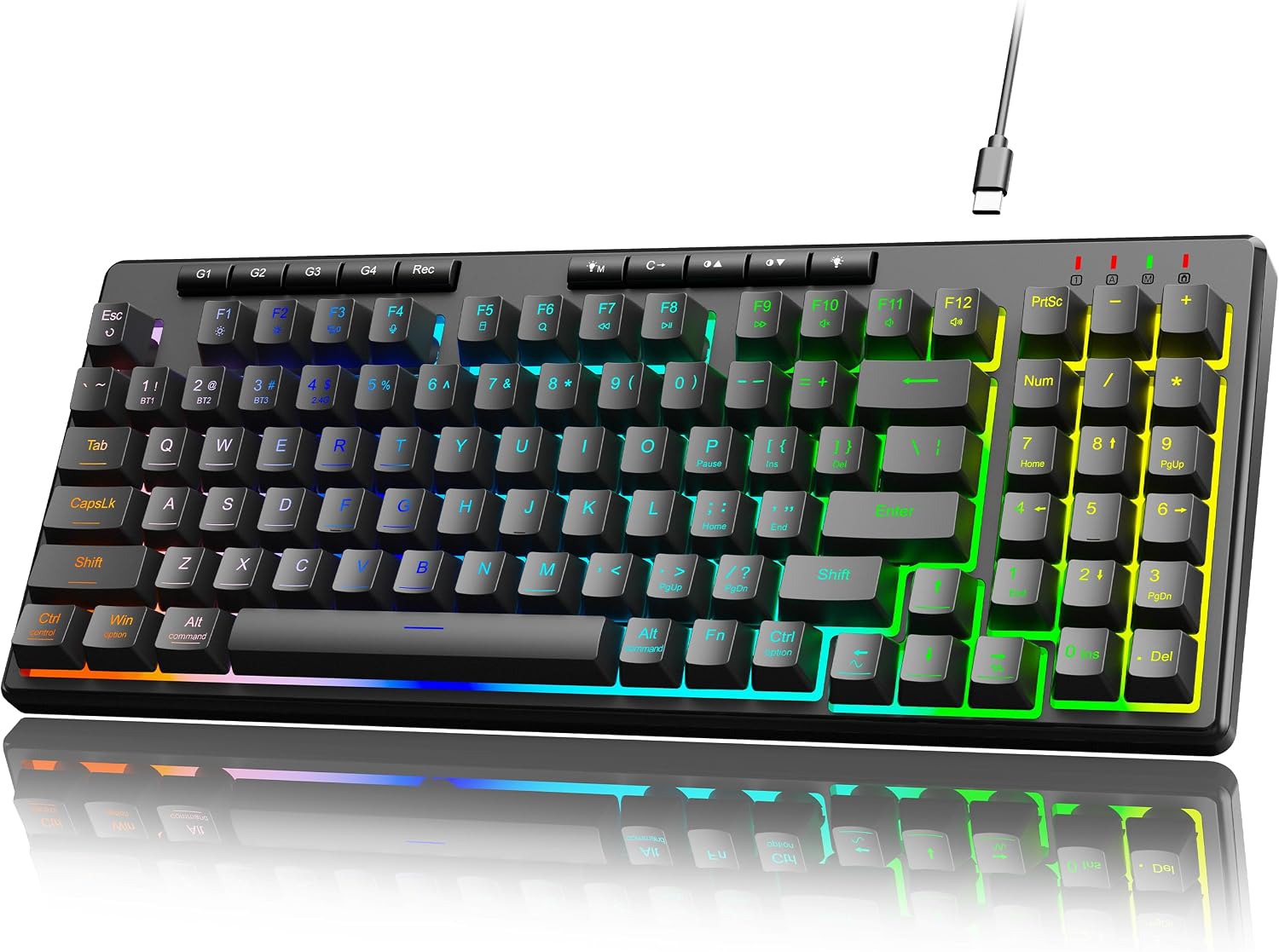
Running your fingers across the keyboard, the casing feels robust and solid. It is made from black plastic, which is common in its price class. The chassis rigidity holds up well; there is no noticeable flex when pressing down or twisting lightly. This is a compact keyboard, measuring 36.6 x 15 x 4 cm, making it a good fit for smaller desks or those who need extra mouse space. Its 656-gram weight keeps it planted during use, not sliding around easily.
The 94-key layout includes a number pad and arrow cluster, a big plus for a compact board. This saves valuable desk space. RGB illumination comes standard, with eight preset modes and seven solid colors. You get five brightness levels. The lights themselves are easy on the eyes, even during long work sessions. There is a dual-system switch to jump between Windows and Mac layouts without fuss, a thoughtful design choice. Arrow keys do lack indentation, though. This can make them hard to find by touch quickly.
Core Performance & Feel of the Redragon K517 Pro
Under the keycaps sits high-elasticity rubber dome switches. These are membrane switches, not true mechanical ones, but Redragon touts them as offering a "mechanical-like" feel. In testing, they provide a distinct tactile bump, which is nice. However, they do not fully replicate the crisp feedback of dedicated mechanical switches. This is a trade-off for the quiet operation. Typing on the K517 Pro is very quiet, making it great for shared offices or late-night use.
For speed, the 2.4 GHz wireless connection feels responsive. You get 26-key anti-ghosting, which is plenty for most gaming scenarios. It means up to 26 keys pressed at once will register correctly. This prevents dropped inputs during intense gaming. The switch lifespan is rated for 10 million keystrokes, which is good for a membrane board. While it is not a high-end gaming keyboard, it delivers enough performance for casual gamers and those who mix work with play. The lack of true mechanical switches will be a dealbreaker for some, but the quiet feel is a definite plus.
Power, Battery & Connection for the Redragon K517 Pro
Plugging the 2.4 GHz dongle into a front USB port revealed a strong, stable signal. The Redragon K517 Pro boasts tri-mode connection, offering USB-C wired, 2.4 GHz wireless, and Bluetooth 3.0/5.0 options. This versatility is excellent for switching between devices. You can use it wired for no-latency gaming or wireless for a clean desk.
Power comes from a built-in 4000mAh rechargeable battery. This is a generous capacity for a keyboard. During my testing, the battery life proved excellent, especially when the RGB backlight was turned off. Using the RGB does cut down on runtime, as expected. The inclusion of a Type-C cable in the box means you can charge it easily or use it in wired mode. This flexible power and connection setup is a strong point for the K517 Pro.
Controls, Software & Daily Maintenance of the Redragon K517 Pro
The K517 Pro keeps things simple with built-in controls. It features four dedicated macro keys, allowing you to execute shortcuts without needing extra software. This is great for setting up custom actions for work or games. You also get four multimedia shortcut keys for quick access to volume control and media playback. LED indicator lights show lock states, which is helpful. A dual-system switch lets you toggle between Windows and Mac layouts.
On the software front, the keyboard works plug-and-play across many OS. This includes Windows XP through 11, macOS, Linux, and ChromeOS via standard USB HID. This wide OS works with makes it highly adaptable. For daily care, the surface is easy to wipe down with a dry microfiber cloth. While there is no specific spill-resistance rating, careful use around liquids is always wise. Overall, it is a low-maintenance board without complex software needs.
How the Redragon K517 Pro Compares
The Redragon K517 Pro sits in a competitive segment, but its tri-mode connection gives it an edge. When you stack it against other Redragon boards and general keyboard types, a few things stand out.
- Versus Low-Profile Keyboards: The K517 Pro uses standard-height keys. This means it is not as slim as dedicated low-profile boards. If desk height is key for you, a low-profile option might be a better fit. Its keys feel more traditional, though.
- Versus Redragon K517 Varro Wired: The K517 Pro is the wireless sibling. It adds tri-mode wireless (Bluetooth, 2.4 GHz, USB-C wired) and a 4000mAh battery. The wired K517 Varro is cheaper, offers 5 macros (versus 4 on the Pro), and has a fixed wrist rest. You pay more for the K517 Pro's wireless freedom.
- Versus Redragon K502 Karura: This is another Redragon membrane keyboard. The K517 Pro offers a compact 94-key layout and 26-key anti-ghosting. The K502 Karura is a full 104-key wired chiclet keyboard with only 19-key anti-ghosting. For space-saving and better gaming response, the K517 Pro wins.
- Versus Redragon K709 NOVA: The K709 NOVA is a higher-tier mechanical option. It is a 65% wired gasket-mounted hot-swappable mechanical board. The K517 Pro is a membrane, 94-key wireless keyboard in a lower price bracket. These two are for different buyers entirely.
What I Like & What Could Be Better (Pros & Cons of the Redragon K517 Pro)
After weeks of testing, the Redragon K517 Pro shows some clear strengths and a few areas for improvement.
What I Like:
- Tri-Mode Connectivity: The ability to switch between USB-C wired, 2.4 GHz, and Bluetooth is a major plus for multi-device setups.
- Quiet Typing: The membrane switches are notably quiet, ideal for shared spaces.
- Good Battery Life: The 4000mAh rechargeable battery lasts a long time, especially with RGB off.
- Compact with Numpad: A 94-key layout that keeps the number pad saves desk space without cutting essential keys.
- Dedicated Macro Keys: Four programmable macro keys add quick utility without needing software.
- RGB Lighting: Eight presets and seven solid colors offer good customization, and the lights are easy on the eyes for hours.
- Budget Price: It offers strong features for its low-cost tier.
What Could Be Better:
- No True Mechanical Switches: The "mechanical-like" feel does not replace real mechanical switches for enthusiasts.
- Arrow Key Ergonomics: Arrow keys lack indentation, making them tough to find by touch alone.
- Delete Key Combo: Requiring Shift+Del for the Delete key is not ideal for fast typists.
- Variable Build Quality: Some user reports suggest occasional key stickiness, indicating quality control can vary.
- No Wrist Rest: The wired K517 Varro had a fixed wrist rest, but the Pro model does not specify one.
Who Should Skip the Redragon K517 Pro
If you are a hardcore mechanical keyboard enthusiast, the Redragon K517 Pro is not for you. Its membrane switches, even with a "mechanical feel," cannot deliver the tactile satisfaction or customization of true mechanical switches. You should instead look at something like the Redragon K709 NOVA for hot-swappable mechanical switches.
Fast typists who rely on muscle memory for navigation keys might also want to pass. The oddly placed Delete key (Shift+Del) and flat arrow keys will slow you down. If your workflow demands full N-key rollover for extremely complex key combos, its 26-key anti-ghosting may fall short. Lastly, if you expect a low-profile board for a super flat desk setup, this is not it. The K517 Pro uses standard-height keys. Stick with dedicated low-profile options if that is a must-have.
What kind of switches does the Redragon K517 Pro use?
The Redragon K517 Pro uses high-elasticity rubber dome switches. These are membrane switches that aim to provide a mechanical-like feel and quieter operation compared to true mechanical switches.
Does the Redragon K517 Pro have RGB lighting?
Yes, it features full RGB illumination. You get eight preset lighting modes, seven solid colors, and five brightness levels. The lighting is designed to be comfortable for long sessions.
What connection types does the Redragon K517 Pro offer?
The Redragon K517 Pro has tri-mode connectivity. It supports USB-C wired, 2.4 GHz wireless via a dongle, and Bluetooth 3.0/5.0 connections, offering great versatility for various devices.
Is the Redragon K517 Pro compatible with Mac and Linux?
Yes, the keyboard includes a dual-system switch to toggle between Windows and Mac layouts. It also works with Linux and ChromeOS via standard USB HID, making it broadly compatible.
How long does the battery last on the Redragon K517 Pro?
The keyboard is powered by a 4000mAh rechargeable battery. It offers excellent battery life, especially when the RGB backlight is turned off. Using the RGB lighting will reduce the overall runtime.