
Design, Build & Physical Fit
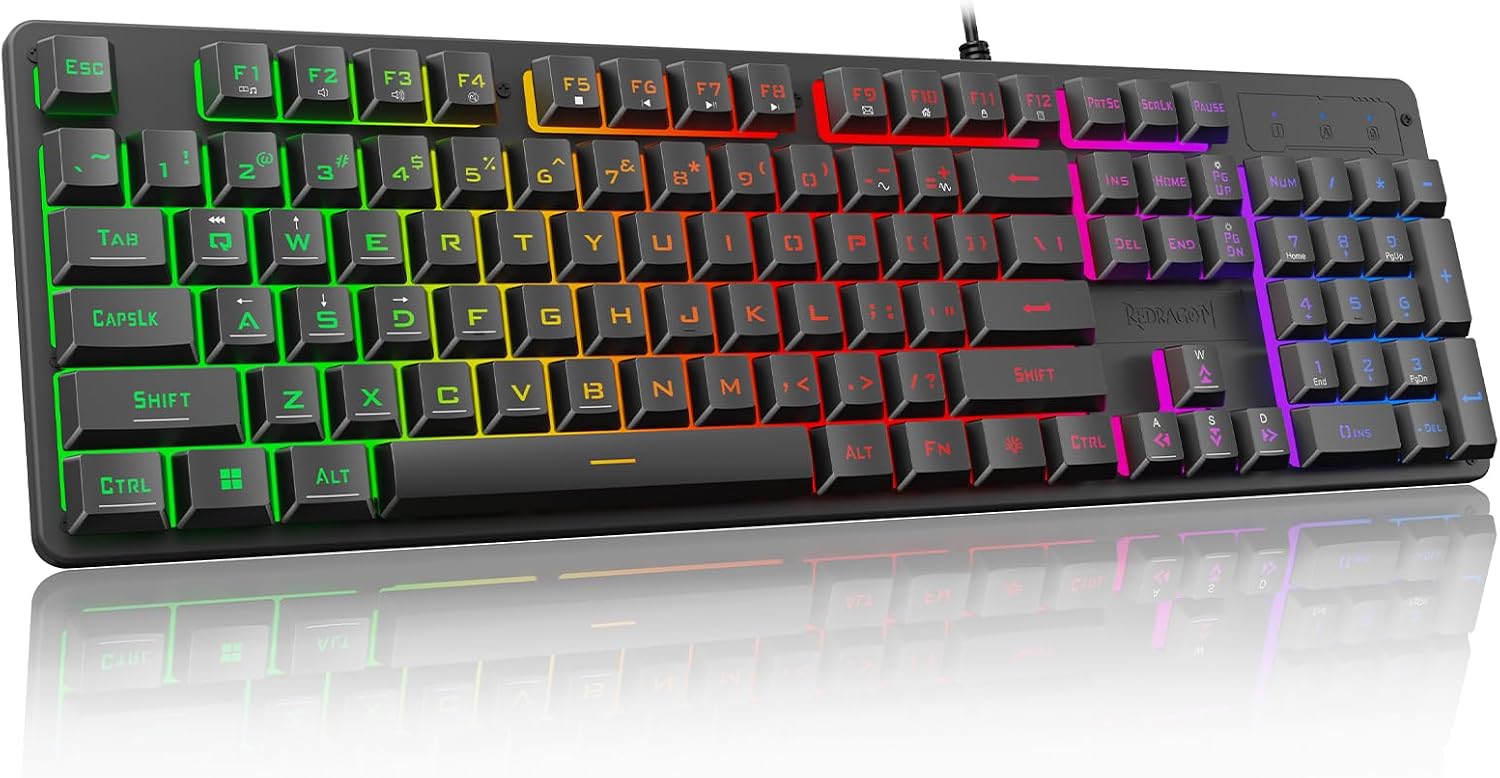
Lifting the K521 out of the box, the first thing you notice is how light it feels. At just 581 grams, it's far from a heavy metal brick. The chassis is made of ABS plastic, which gives it a slightly hollow feel when you tap on the sides. But on a desk, it stays put. The adjustable height feet give you two angles to choose from, which helps with wrist strain during long typing sessions.
The full-size footprint takes up a lot of space. If your desk is crowded, measure first. The floating key design makes it easier to clean crumbs out from under the keys. The black two-color translucent keycaps look okay, but the font is a bit odd. Some letters have a rounded, chipped look that I don't love. It's a minor cosmetic thing that doesn't affect typing.
Core Performance & Feel
Typing on the K521 feels soft and quiet. The membrane switches have a mushy bottom-out compared to a mechanical switch, but they are far quieter. I typed for a full workday and my fingers didn't feel fatigued. The actuation force is comfortable, not too stiff. For gaming, the 25-key rollover handles most situations. I played a few rounds of a fast-paced shooter and didn't notice any missed inputs. However, if you press more than 25 keys at once, it will drop inputs. That's rare in real use.
There is no audible click. The sound is a dull thud, which is great for an office or a shared room. Gamers who love loud, clicky feedback will hate this. But if you want a quiet board for late-night gaming or work, this is a strong point. The response time feels standard. I didn't notice any lag between pressing a key and seeing it on screen.
Power, Battery & Connectivity
The K521 is a wired-only keyboard. There is no battery and no Bluetooth. You plug the USB cable into your PC or laptop, and it works instantly. No drivers are needed for basic use. The included cable is a standard USB-A to USB-A, not USB-C. That's a bit dated. It also means you can't easily swap in a custom coiled cable.
The connection is stable. I never had a dropout during my testing. The low-power operation means it won't drain your laptop battery any faster than a standard keyboard. Since it's wired, you never have to worry about charging. Just plug it in and forget it. For a budget board, this simplicity is a plus. No pairing menus or dongles to lose.
Controls, Software & Daily Maintenance
Media controls are handled through Fn key shortcuts. The volume keys work fine on Windows, but Mac users report limited functionality. The 6-zone RGB lighting is fixed. You can cycle through colors and brightness levels with Fn keys, but you can't set per-key lighting. The software is basic and often hard to find. You can set macros, but the interface feels clunky. I didn't bother installing it after the first try.
The keyboard has a spill-resistant design. I dripped a little water on it and wiped it off without issue. The floating keys make cleaning easy. A quick blast of compressed air gets dust out. The keycaps are not reinforced, so they might shine up over time. But at this price, that's expected. The 12-month warranty covers defects, which is standard for the budget tier.
How It Compares (Head-to-Head)
The K521 sits in a crowded budget field. Here is how it stacks up against two close rivals.
Redragon K521 vs K502 Karura The K502 Karura is the next step up. It often costs a bit more. The Karura has a more premium feel and better software. But the K521 is cheaper. If you want the lowest price, the K521 wins. If you want slightly better build, get the Karura.
Redragon K521 vs BK-8345 The BK-8345 is a cheaper option from the same brand. It has fewer features and no RGB. The K521 gives you RGB lighting and a better typing feel for a small bump in price. The BK-8345 feels flimsier. I'd pick the K521 over the BK-8345 any day.
Redragon K521 vs Logitech K120 The Logitech K120 is a standard office keyboard. It has no RGB and no gaming features. The K521 has better anti-ghosting and looks much cooler. But the Logitech might last longer. For gamers, the K521 is the clear choice.
What I Like & What Could Be Better (Pros & Cons)
What I Like
- The price is hard to beat. You get a full-size keyboard with RGB for under $30.
- The quiet membrane switches are perfect for shared spaces.
- Spill resistance is a lifesaver for clumsy users.
- The 25-key rollover is enough for casual gaming.
What Could Be Better
- The keycap font looks chipped and cheap. It bothers me every time I look down.
- The software is almost useless. Redragon needs to fix this.
- The cable is not detachable. If it breaks, the whole keyboard is trash.
- No USB passthrough. That's a feature I miss from higher-end boards.
I've used this board for a month. It's a workhorse. It doesn't feel special, but it gets the job done without fuss. If you want a board that feels like a tank, this isn't it. But for the money, it's a solid buy.
Who Should Skip This Product
You should skip the K521 if you are a mechanical keyboard enthusiast. The membrane switches will feel mushy and unsatisfying to you. You will hate the lack of customization. Look at the Redragon K552 instead. It's mechanical and only costs a little more.
Skip it if you are a Mac user who relies on media keys. The Fn shortcuts don't map well to macOS. You won't be able to change volume easily. Get a Mac-specific keyboard like the Apple Magic Keyboard.
Skip it if you need wireless freedom. The K521 is wired only. If you want to game from your couch, you need a Bluetooth board. The Redragon K596 is a good wireless alternative. Finally, skip it if you hate the look of gamer-style keyboards. The RGB is bright and the font is aggressive. This is not a sleek office keyboard. It's a budget gamer board.