
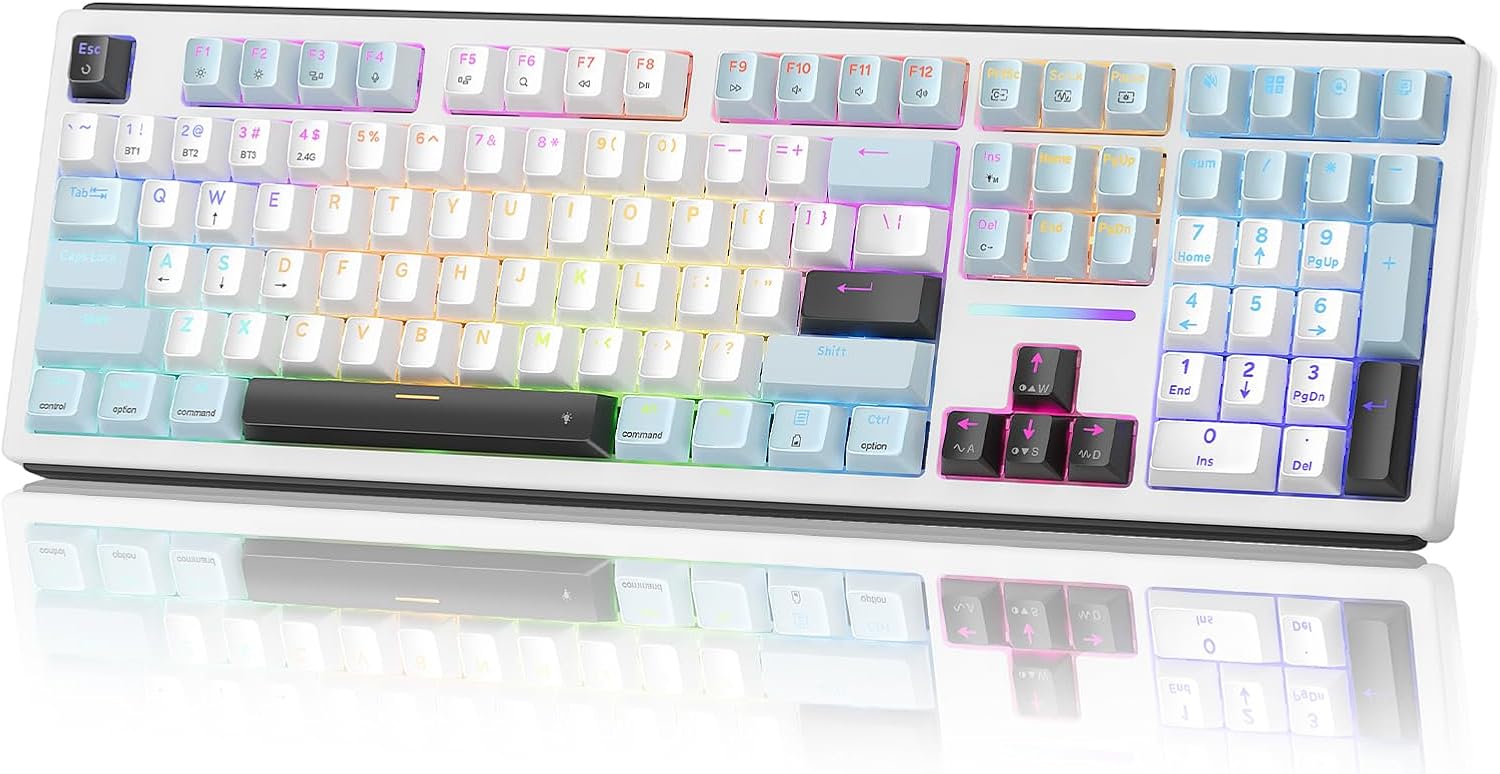
Design, Build & Physical Fit
Running my fingers along the top edge, the plastic case feels firm for a budget board. It does not flex much when I twist it. On my desk, it sits flat and steady. The rubber feet keep it from sliding during quick typing. The full-size frame takes up about 17 inches of width. That is normal for a number pad layout. If your desk is tight, measure first. The keys have a standard pitch and height. My wrists rest at a comfortable angle. No need for a palm rest, though it works fine with one. The matte finish resists fingerprints. It looks plain but clean. After two weeks, no shiny spots on the keys. The case does pick up dust, but a quick wipe fixes that. For a sub-$40 board, the build is solid.
Core Performance & Feel
Typing on the K771 feels soft but not mushy. Each press bottoms out with a quiet thud. I typed for three hours straight and my fingers never felt tired. The keys are not clicky, so they will not annoy coworkers in an open office. My microphone measured about 45 decibels from two feet away. That is library-quiet. For gaming, it handles casual play fine. I played a few rounds of Minecraft and had no missed inputs. But fast shooters? The rollover limit shows up when I mash keys hard. The board registers multi-key presses for normal typing, but not for high-APM esports. Stick to work and casual games. Input lag is not noticeable for everyday tasks. The keycaps have a slight texture that grips well. Legends are printed clean and have not worn off yet. No backlight means you cannot see the keys in the dark. That is my biggest gripe.
Power, Battery & Connectivity
Plugging the USB cable into my laptop, Windows 11 found it right away. No drivers, no setup wizard. It just worked. That is the whole point of this board. The cord is attached, so you never worry about battery life or charging. It draws very little power from the USB port. I did not notice any lag or dropouts. The connection is rock solid for office work. For a wired board, that is expected. There is no wireless mode, so you are tethered to your desk. If you want to lean back and type from the couch, look elsewhere. The cable is standard USB-A. I would have liked a braided cord, but the rubber one is fine. It is long enough to reach around my desk. No issues with plug-and-play on Linux or ChromeOS either. Just plug and type.
Controls, Software & Daily Maintenance
Media controls sit on the Fn row. I can pause music, change volume, and skip tracks without leaving my document. The volume keys are handy for quick adjustments. No dedicated media buttons, but the shortcuts work fine. Status LEDs for Caps Lock and Num Lock are bright and clear. No software needed. That is a plus for office PCs where you cannot install drivers. For cleaning, a dry microfiber cloth handles dust and crumbs. The keys are not spill-resistant, so keep liquids away. I would not test it with a coffee spill. The plastic case wipes down easily. Keycaps pull off with a standard puller if you need to deep clean. After a month, no shiny spots or fading. It is a low-maintenance board for sure. Just do not eat over it.
How It Compares (Head-to-Head)
Against standard budget membrane rivals, the K771 wins on brand trust and quiet typing. Many cheap boards feel hollow and rattle. This one stays solid. It is also more affordable than most entry-level mechanical keyboards. Those mechanical boards offer clicky switches and RGB, but they are louder. If you share a room, the K771 is the better pick. Against a basic Logitech or Microsoft membrane board, the K771 holds its own. It lacks the fancy software of pricier models, but it matches them for daily comfort. The main gap is backlighting. Some rivals at this price add white LEDs. The K771 has none. For gaming, mechanical boards like the Redragon K552 offer faster switches. But for typing, the K771 is quieter and cheaper. It is a solid middle ground for office and home use.
What I Like & What Could Be Better (Pros & Cons)
After weeks of daily use, here is my honest take.
What I like:
- The quiet keys are a lifesaver in shared spaces. My coworkers never hear me type.
- Plug-and-play setup means I can move it between PCs without any hassle.
- The full-size layout with number pad is great for spreadsheets.
- Build quality feels better than the price suggests. No creaks or flex.
- Media shortcuts are easy to reach and work without software.
What could be better:
- No backlighting makes late-night typing a guess. I had to turn on a lamp.
- The membrane keys are not for competitive gaming. Fast key combos sometimes drop.
- The cable is not detachable or braided. It feels a bit cheap.
- No wrist rest in the box, though it works fine without one.
- The plastic case attracts dust and shows smudges.
These are minor gripes for a budget board. But if you need lights or speed, look elsewhere.
Who Should Skip This Product
Skip the Redragon K771 if you game at a high level. The multi-key rollover and standard latency are not built for fast esports. Buy a mechanical keyboard like the Redragon K552 instead. Also skip it if you work in the dark. There are no backlit keys, so you will need a desk lamp. If you want a wireless board, this is not it. It is wired only. And if you need custom software for macros or RGB, look at a gaming keyboard. For everyone else, this is a great pick. Office workers, students, and home users will love the quiet keys and low price. Just check the current price before you buy. It is a solid value in the budget tier.